PDF accessibility Can everyone
read your PDFs?
Newsletters, agendas, forms and menus: much of what people read on a public website is in PDFs. Granted checks the PDFs your pages link to, the free homepage check included.
- Tagsthe structure a screen reader follows
- Textreal text, not a scanned picture
- Freethe PDFs your homepage links to, in the free check
An accessible PDF
Tags
The structure a screen reader follows.
A title
Shown in the window instead of the file name.
A language
So a screen reader uses the right voice.
Real text
Not a scanned picture of a page.
Descriptions
For pictures and charts that carry meaning.
Named fields
So each form field says what to enter.
Watch a scan
A demo site with common problems, scanned the way a paid scan runs.
Accessibility Denied.
55 WCAG 2.2 criteria 6 failed · 29 no failures found · 19 not applicable · 1 could not be tested on this site
Pick a criterion to see what it means. Arrow keys move between criteria in a group.
1 Perceivable 20Can people see or hear it?
2 Operable 20Can people use it?
3 Understandable 13Can people follow it?
4 Robust 2Can their tools read it?
- Failed
- Flagged by AI
- No failures found
- Not applicable, or could not be tested on this site
- New in WCAG 2.2
WCAG 2.2 criterion
2.4.11
Focus not obscured (minimum)
- What it means
- The focused element is never fully hidden behind sticky headers, banners or other content.
- What Granted checks
- Tabs forwards and backwards and checks sticky headers and banners never hide focus.
- In this scan
- No failures found.
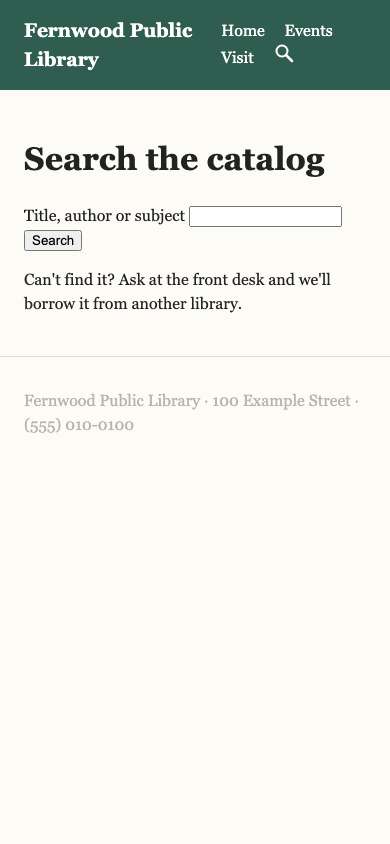 The page being checked shows here.
Found in this scan
- 1.1.1 Non-text contentImages have no text description5 elements on 4 pages · Rule check
- 1.4.3 Contrast (minimum)Text is too faint against its background6 elements on 4 pages · Rule check
- 2.4.4 and 4.1.2Links have no name4 links on 4 pages · Rule check
- 4.1.2 Name, role, valueIcon buttons don't say what they doon 3 pages · AI review
- 3.3.2 Labels or instructionsForm fields don't say what to enter or in what formaton 1 page · AI review
- 1.4.11 Non-text contrastIcons and controls disappear in Windows contrast themeson 3 pages · Interaction test
No problems found by these checks.
The verdict
72Grade C
Accessibility Denied
- 68 rule checks: axe-core’s rules on every page, desktop and phone.
- 40 interaction tests: we press keys, hover, zoom and play media, the way people use a site.
- AI review: judges what rules can’t, like whether alt text describes the image.
How it’s checked
How the scan checks your PDFs
Every scan checks the PDFs linked from the pages it checks, the free homepage check included. It tests them for tags, a title, a language, real text, image descriptions, named form fields and settings that block screen readers. The report lists each PDF problem with the page that links to it.
Paid scans add an AI review of selected PDFs: whether image descriptions match the images, headings are tagged the way they look, the reading order holds and form fields are named like their labels. Its findings are listed as recommendations.
Fixing a PDF
- Export from the source document with tags turned on, rather than printing to PDF.
- Use real headings and lists in the source, not bold text and typed dashes.
- Set the document title and language before you export.
- Run text recognition on scanned pages, or publish the content as a web page.
- Add alternative text to images in the source document.
See how the score works, read about school website accessibility, or check your homepage free.
Pricing
Check your homepage free, then pay by the page for the rest of your site. Never more than the pages we check.
-
Homepage check
FreeNo card
- Your homepage, desktop and phone
- The core checks: 68 rule checks and 26 interaction tests
- Up to 10 PDFs linked from your homepage
- Counts your site’s pages and shows your price for the rest of it
- No email: it starts at once
-
Full-site scan
From $2525-page minimum · up to 3,500 pages
- $1 a page for the first 25 pages
- 30¢ a page up to 500 pages
- 10¢ a page after that, up to 3,500 pages
- PDFs and other documents we check are free
- AI review, PDF, ACR, fix plan and 3 rescans within 30 days
- Bigger than this? Email hello@grnted.co.
- Your card is held for the price shown, then charged only for the pages checked
- 3 free rescans within 30 days
- A report missing pages? Write within 14 days for a rescan or a refund
- Monitoring is optional. Turn it on from your report and it’s free until 30 days after your scan
Add monthly monitoring from your report: 20% of your scan price a month (at least $19), or 10 months a year. How pricing works How monitoring works
Public agencies scan free
Schools, cities, counties and special districts get a free scan of up to 250 pages. Agencies get one license for scans and monitoring of every client site.
Start with
your homepage
Free. No email, no card. The check starts at once.