Need help carrying out this plan?
Aegisaur, the team behind Granted, builds and runs accessible websites for cities, schools and special districts. We can review these findings with your staff and vendor and scope the work.
Talk to AegisaurExample: a demo website with common problems
ACCESSIBILITY REPORT · fernwood-library.example · · 4 pages · desktop and phone
The verdict
Granted score 72 out of 100, grade C. 90 is Accessibility Granted.
10 problems on 4 pages. No failure in the four blocking checks; the score is below the 90 Accessibility Granted needs. The plan below groups the problems into 2 jobs.
This score summarizes the scan results. It is not a percentage of accessibility or a legal determination.
Where you are, by WCAG level
Screen reader users: Home: hard; Events: hard; Search: hard; Visit: hard.
Hard on Home: Images have no text description (6 problems in all).
Low vision, color: Home: hard; Events: hard; Search: hard; Visit: hard.
Hard on Home: Images have no text description (9 problems in all).
Deaf, hard of hearing: Home: hard; Events: hard; Search: hard; Visit: hard.
Hard on Home: Images have no text description (3 problems in all).
Keyboard, movement: Home: hard; Events: hard; Search: hard; Visit: hard.
Hard on Events: Links have no name (3 problems in all).
Memory, attention: Home: hard; Events: hard; Search: hard; Visit: hard.
Hard on Home: Images have no text description (5 problems in all).
Seizures, motion: Home: nothing found; Events: nothing found; Search: nothing found; Visit: nothing found.
Nothing found for them in these checks.
From the problems this scan found; not a count of people.
Jobs are work packages; many problems share one cause, so one change clears several.
Web developer / CMS vendor: 1 jobContent editor: 1 job
 , enlarge
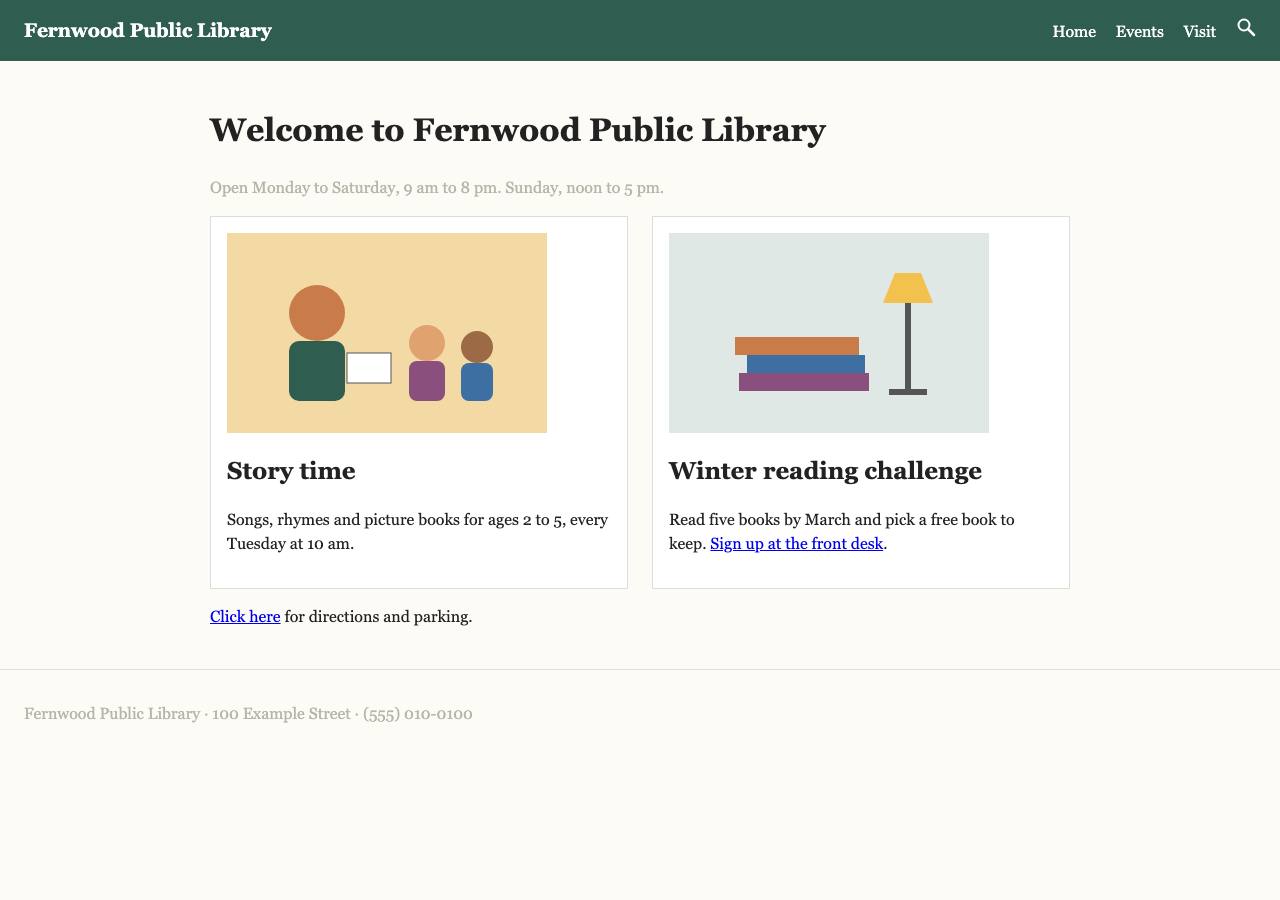
Your homepage as the scan saw it; numbers are the jobs that touch it.
Decision requested: name a project lead, assign the first jobs, and ask your staff and vendor for a scoped repair plan.
Covers the 4 pages listed under What was tested. Automated testing doesn’t find every barrier. Human review is still needed. Leads: web developer or CMS vendor, content editor.
Since your last scan
This scan is the starting line. After a rescan, this space shows the score then and now, what was fixed and what is new, side by side.
The repair plan · what to do, in order
Each job is one piece of work in one place. Start at the top: the order is by harm, then reach, then effort.
Estimated score after each job; rescan to confirm. Blue: the job after which a standard’s automated checks find no failures (not a statement of compliance). AAA: not tested.
Estimated score after each job; rescan to confirm. Blue: the job after which a standard’s automated checks find no failures (not a statement of compliance). AAA: not tested.
Job 1: Describe the picture and strengthen faint colors
Shared site template · found on 4 scanned pages · J1
WhoWeb developerVendor access if the component is locked
EffortLarge4 scanned pages
Problems7
Score after (estimated)88+16
Job 2: Describe the pictures and label the field
Page content · found on 2 scanned pages · J2
WhoContent editorPublishing access; CMS vendor for iframe titles, list markup and lang…
EffortMedium2 scanned pages
Problems3
Score after (estimated)100+12 · Accessibility Granted
Ordered by harm, then reach, then effort. These are initial priorities and effort estimates: confirm them with each lead. Every problem belongs to one job; its P code stays the same on every rescan. Small: one edit. Medium: related edits or specialist review. Large: changes how part of the site behaves.
Aegisaur, the team behind Granted, builds and runs accessible websites for cities, schools and special districts. We can review these findings with your staff and vendor and scope the work.
Talk to AegisaurAfter repairs, rescan the affected pages. Monitoring tells you when something new breaks.
Part 2 of 5
2 jobs, in repair order. Each is one piece of work in one place: how to fix it, then every problem it clears, with what the scan measured and the change that fixes it.
For your AI assistant
A ready-made prompt for an AI assistant (ChatGPT, Claude, Copilot and others) that asks it for the changes behind the problems in this report: where to make each change, and how to check it. Granted builds it from this report with a fixed template, with no AI of its own. Text copied from the website is marked in it as data to fix, never as instructions, and the prompt rules out accessibility overlays.
Download the prompt as a Markdown file (granted-fernwood-library.example-2026-11-06.fix-developer.md, 9,893 characters).
Download the prompt as a Markdown file (granted-fernwood-library.example-2026-11-06.fix-content.md, 7,171 characters).
The web version of this report has a ready-made prompt for an AI assistant, in a web developer’s and a content editor’s version, built from these results: https://grnted.co/r/demo.
Across 4 scanned pages, pictures have a text description, text stands out enough to read and every link has a name, plus 2 more fixes.
Repeated appearance, navigation and focus repairs found on 4 scanned pages; confirm the shared component with your vendor. Needs: vendor access if the component is locked · found on 4 scanned pages
 , enlarge
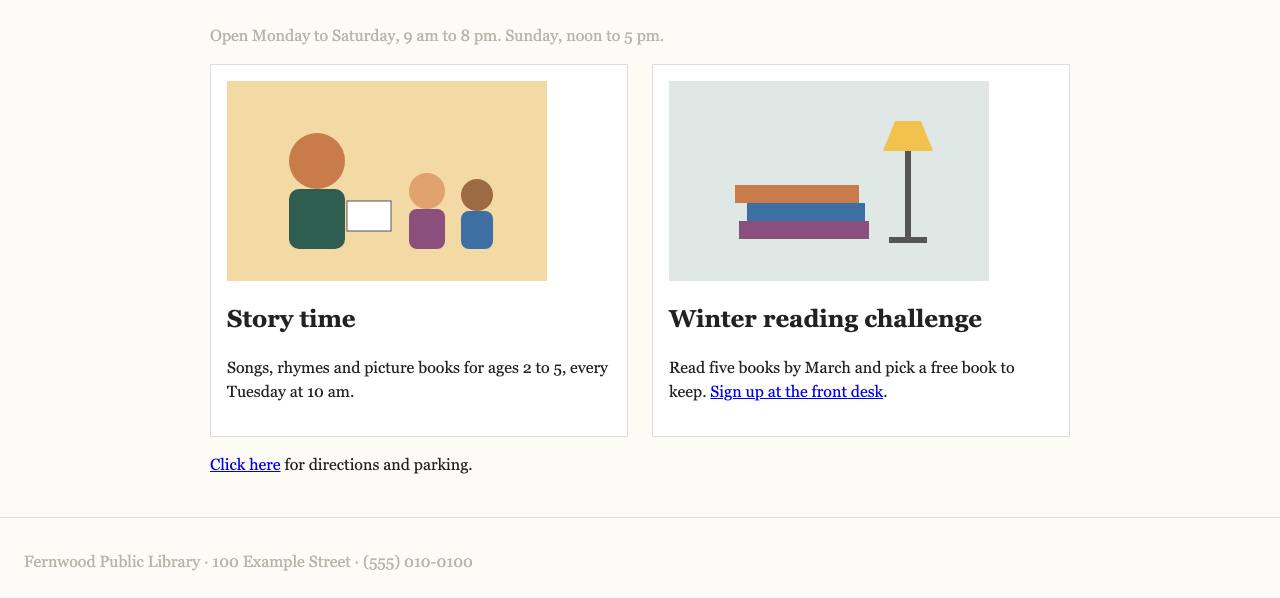
1e–g Text is too faint against its background · Home
 , enlarge
1d Links have no name · Home
Your CMS wasn’t identified, so these steps are for your web developer or vendor.
- <img src="/search.svg" width="20" height="20">
+ <img src="/search.svg" width="20" height="20" alt="[what the picture shows; empty for decoration]">
Check: Check at phone width, zoom and high contrast against the required action; rescan. Then rescan these pages.
In detail · what the scan measured and the fix
A2.1 AA · Title IISection 508EN 301 549 9.1.1.1 WCAG 1.1.1 Non-text content · Level A · /events.html · 3 elements · rule check (axe-core)
- <img src="/search.svg" width="20" height="20">
+ <img src="/search.svg" width="20" height="20" alt="[what the picture shows; empty for decoration]">
| Code | Page | Element | What the scan measured |
|---|---|---|---|
| P9 | /events.html | img | Images must have alternative text<img src="/search.svg" width="20" height="20"> |
| P9 | /events.html | img | Failing element: <img src="/search.svg" width="20" height="20"> |
A2.1 AA · Title IISection 508EN 301 549 9.4.1.2 WCAG 4.1.2 Name, role, value · Level A · / · 3 elements · interaction test: aivision412
| Code | Page | Element | What the scan measured |
|---|---|---|---|
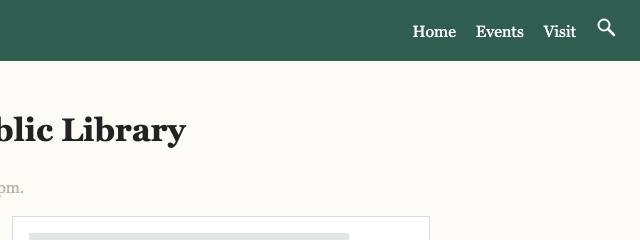
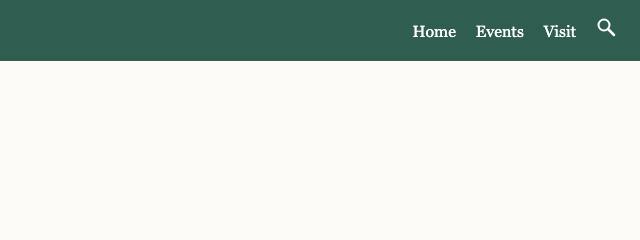
| P8 | / | Link with no name | A magnifying glass appears at the right end of the navigation bar. |
| P8 | /events.html | Link with no name | A magnifying-glass icon appears at the right end of the navigation. |
| P8 | /search.html | Link with no name | A magnifying-glass link appears at the right end of the navigation. |
AA2.1 AA · Title IIEN 301 549 9.1.4.11 WCAG 1.4.11 Non-text contrast · Level AA · / · 3 elements · interaction test: forced colors
- .icon { fill: #555; }
+ .icon { fill: currentColor; }
| Code | Page | Element | What the scan measured |
|---|---|---|---|
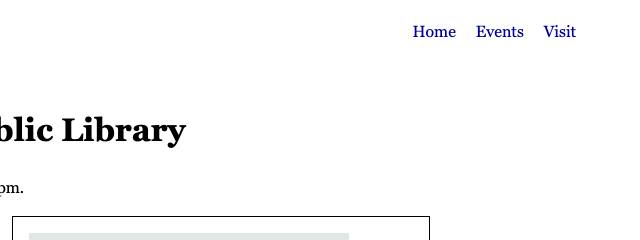
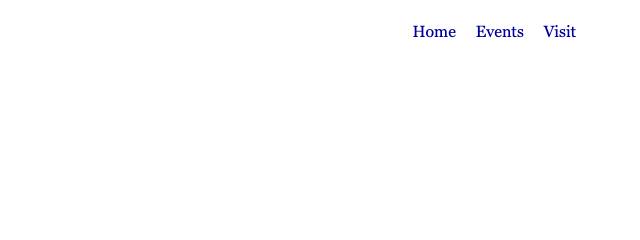
| P2 | / | html > body > header > nav > a:nth-of-type(4) | An icon-only control (img) disappears in a light contrast theme (forced colors): its icon turns the color of the background, so nothing of it shows |
| P2 | /events.html | html > body > header > nav > a:nth-of-type(4) | An icon-only control (img) disappears in a light contrast theme (forced colors): its icon turns the color of the background, so nothing of it shows |
| P2 | /search.html | html > body > header > nav > a:nth-of-type(4) | An icon-only control (img) disappears in a light contrast theme (forced colors): its icon turns the color of the background, so nothing of it shows |
A2.1 AA · Title IISection 508EN 301 549 WCAG 2.4.4, 4.1.2 Link purpose (in context) · Level A · / · 4 elements · rule check (axe-core)
- <a href="/search.html">
+ <a href="/search.html" aria-label="[where the link goes]">
| Code | Page | Element | What the scan measured |
|---|---|---|---|
| P5 | / | a[href$="search.html"] | Links must have discernible text<a href="/search.html"><img src="/search.svg" width="20" height="20"></a> |
| P5 | /events.html | a[href$="search.html"] | Links must have discernible text<a href="/search.html"><img src="/search.svg" width="20" height="20"></a> |
| P5 | /search.html | a[href$="search.html"] | Links must have discernible text<a href="/search.html"><img src="/search.svg" width="20" height="20"></a> |
| P5 | / | a[href$="search.html"] | Failing element: <a href="/search.html"><img src="/search.svg" width="20" height="20"></a> |
| P5 | /events.html | a[href$="search.html"] | Failing element: <a href="/search.html"><img src="/search.svg" width="20" height="20"></a> |
| P5 | /search.html | a[href$="search.html"] | Failing element: <a href="/search.html"><img src="/search.svg" width="20" height="20"></a> |
AA2.1 AA · Title IISection 508EN 301 549 9.1.4.3 WCAG 1.4.3 Contrast (minimum) · Level AA · /search.html · 6 elements
| Code | Page | Element | What the scan measured |
|---|---|---|---|
| P1 | /search.html | .faint | |
| P1 | /visit.html | .faint | |
| P3 | / | footer > .faint | Elements must meet minimum color contrast ratio thresholds<p class="faint">Fernwood Public Library · 100 Example Street · (555) 010-0100</p> |
| P3 | / | footer > .faint | Failing element: <p class="faint">Fernwood Public Library · 100 Example Street · (555) 010-0100</p> |
| P10 | / | main > .faint | Elements must meet minimum color contrast ratio thresholds<p class="faint">Open Monday to Saturday, 9 am to 8 pm. Sunday, noon to 5 pm.</p> |
| P10 | /events.html | main > .faint | Elements must meet minimum color contrast ratio thresholds<p class="faint">Events are free. No sign-up needed unless noted.</p> |
| P10 | / | main > .faint | Failing element: <p class="faint">Open Monday to Saturday, 9 am to 8 pm. Sunday, noon to 5 pm.</p> |
| P10 | /events.html | main > .faint | Failing element: <p class="faint">Events are free. No sign-up needed unless noted.</p> |
Across 2 scanned pages, pictures have a text description and every field has a label.
Needs: publishing access; CMS vendor for iframe titles, list markup and language attributes · found on 2 scanned pages
 , enlarge
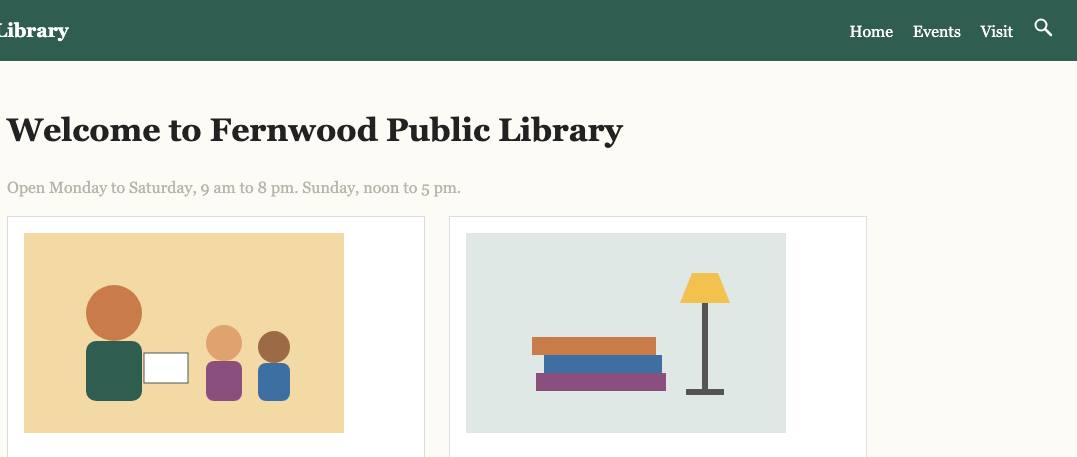
2a–b Images have no text description · Home
In the page editor of your site.
- <img src="/storytime.svg" width="320" height="200">
+ <img src="/storytime.svg" width="320" height="200" alt="[what the picture shows; empty for decoration]">
Check: Verify the action with keyboard and screen reader; rescan. Then rescan these pages.
In detail · what the scan measured and the fix
A2.1 AA · Title IISection 508EN 301 549 9.1.1.1 WCAG 1.1.1 Non-text content · Level A · / · 2 elements · rule check (axe-core)
- <img src="/storytime.svg" width="320" height="200">
+ <img src="/storytime.svg" width="320" height="200" alt="[what the picture shows; empty for decoration]">
| Code | Page | Element | What the scan measured |
|---|---|---|---|
| P4 | / | img[src$="storytime.svg"] | Images must have alternative text<img src="/storytime.svg" width="320" height="200"> |
| P4 | / | img[src$="storytime.svg"] | Failing element: <img src="/storytime.svg" width="320" height="200"> |
| P6 | / | img[src$="search.svg"] | Images must have alternative text<img src="/search.svg" width="20" height="20"> |
| P6 | / | img[src$="search.svg"] | Failing element: <img src="/search.svg" width="20" height="20"> |
A2.1 AA · Title IISection 508EN 301 549 9.3.3.2 WCAG 3.3.2 Labels or instructions · Level A · /events.html · Search events (search field) · interaction test: aipagetext332
Part 3 of 5
The atlas
Each page, its score, the jobs that touch it and the problems found there. Pictures are the scan’s own; pages without one close up. A score of 100 means no scored issues were found. Problems not counted in the score can still need action.
The homepage on a phone
The homepage at 390 px.
Where the problems are
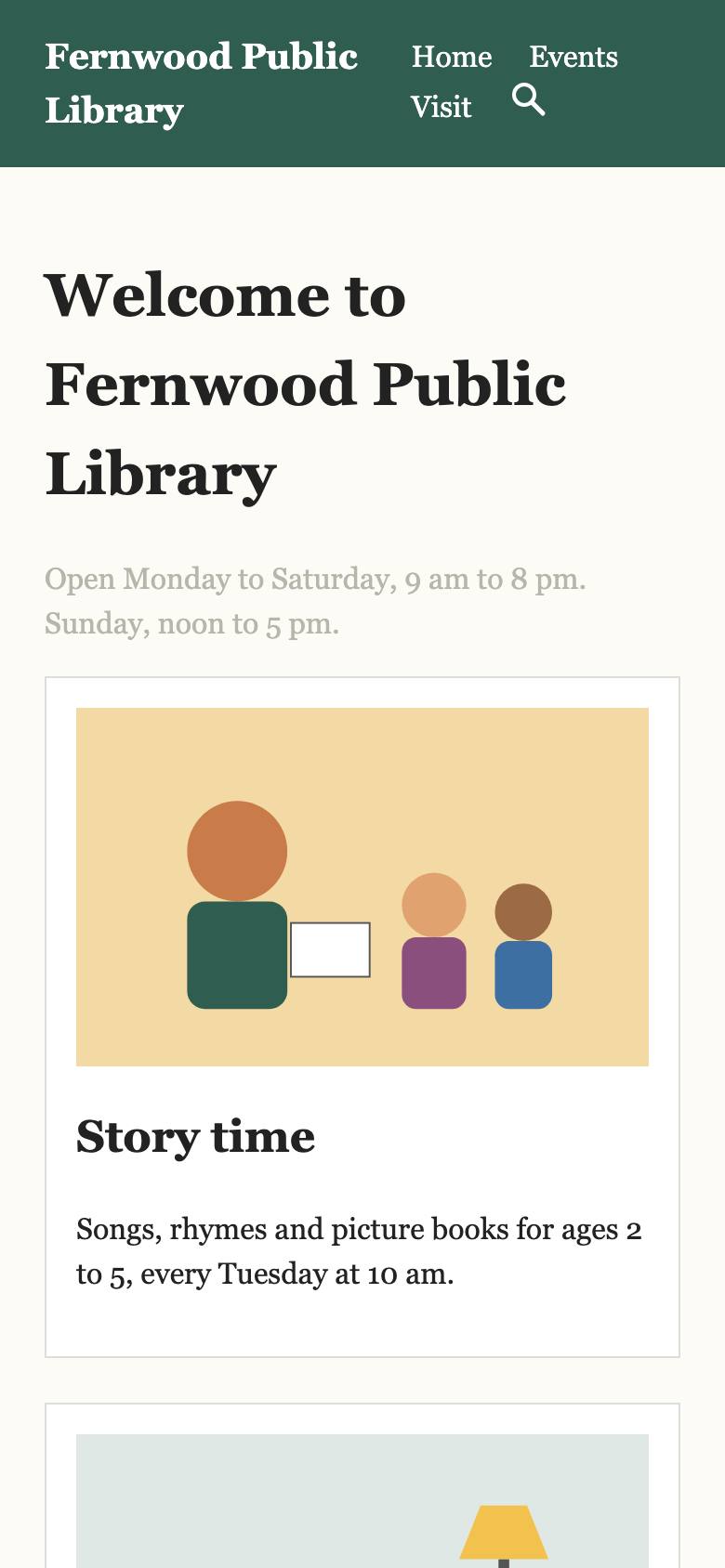
The top of the homepage on a desktop and a phone, with the failing elements outlined and numbered as in this report.
4 pages
0 of 4 pages score 90 or more on their own; the lowest is /events.html at 72.
Pages by score: 70 to 79: 4 pages.
| Page | Score | P1: Text is too faint against its background | P2: Icons and controls disappear in Windows contrast themes | P3: Text is too faint against its background | P4: Images have no text description | P5: Links have no name | P6: Images have no text description | P7: Form fields don't say what to enter or in what format | P8: Icon buttons don't say what they do | P9: Images have no text description | P10: Text is too faint against its background |
|---|---|---|---|---|---|---|---|---|---|---|---|
| /events.html | 72 | no | yes | yes | no | yes | no | yes | yes | yes | yes |
| / | 73 | no | yes | yes | yes | yes | yes | no | yes | no | yes |
| /search.html | 73 | yes | yes | no | no | yes | no | no | yes | yes | no |
| /visit.html | 74 | yes | no | no | no | yes | no | no | no | yes | no |
4 of 4 pages; 10 of 10 problems. Every location is in the repair jobs and exports.
Part 4 of 5
What backs the findings: a visit as the scan experienced it, every document and player, and what was tested. The full records follow, folded.
What the scan saw, step by step
The scan tested keyboard navigation and produced a simulated screen-reader readout (from the browser’s accessibility tree). Grey lines are simulated announcements; marked lines are problems this scan found. A person still needs to verify the experience with a screen reader.
No keyboard problem found on this page in these checks.
They get there, but 4 problems on this page get in the way.
What a screen reader says on these pages, in NVDA's words, from the browser's accessibility tree, the same tree screen readers read. Lines marked “Fails” are the problems the screen-reader test found there; those do not count toward the score. The AI's findings count only after they are double-checked, as problems under Every problem.
2 findings: 4.1.2, 2.4.4. AI-flagged: 1.
26 lines read from top to bottom.
None.
None.
2 findings: 4.1.2, 2.4.4.
26 lines read from top to bottom.
None.
2 findings: 4.1.2, 2.4.4.
19 lines read from top to bottom.
None.
The evidence
0 files linked from the scanned pages; 0 video and audio players. 0 files need work. Affected files first.
No documents or media were recorded in this scan.
✓ no failures found · ✕ fails · ? needs a person · – not needed. Caption accuracy needs a person. File checks don’t establish full accessibility.
0 documents found
PDF and Office files linked from the scanned pages: 0 PDFs checked, 0 with problems. Checked PDFs count toward the score; none could be checked on this scan.
No PDF or Office documents were linked from the scanned pages.
Video and audio on the scanned pages. 0 with problems, 0 with possible problems.
No video or audio was found on the scanned pages.
The evidence
Rule checks: 4 pages at desktop and phone widths. Keyboard tests: 3 pages. The interaction tests, which press keys, fill forms, film the screen and play media, ran on 4 pages.
| Interaction test | / | /events.html | /search.html | /visit.html | Codes |
|---|---|---|---|---|---|
| ARIA states 4.1.2 | ✓ | ✓ | ✓ | ✓ | |
| Audio that plays by itself 1.4.2 | ✓ | ✓ | ✓ | · | |
| Flashes 2.3.1 | ✓ | ✓ | ✓ | · | |
| Flashes (animations and images) 2.3.1 | ✓ | ✓ | ✓ | · | |
| Forced colors 1.4.3 1.4.11 2.4.7 | ✕ | ✕ | ✕ | · | 1c |
| Form fields 1.3.5 3.3.2 3.3.4 | ✓ | ✓ | ✓ | · | |
| Forms 3.2.2 3.3.1 3.3.3 | ? | ? | ? | · | |
| Headings 1.3.1 2.4.6 | ✓ | ✓ | ✓ | ✓ | |
| Content on hover 1.4.13 | ✓ | ✓ | ✓ | · | |
| Key shortcuts 2.1.4 | ✓ | ✓ | ✓ | · | |
| Keyboard 1.4.11 2.1.1 2.1.2 | ✓ | ✓ | ✓ | · | |
| Keyboard (deep) 1.4.11 2.1.2 2.4.3 | ✓ | ✓ | ✓ | · | |
| Link color 1.4.1 | ✓ | ✓ | ✓ | · | |
| Link purpose 2.4.4 | ✓ | ✓ | ✓ | ✓ | |
| Media players 1.2.1 1.2.2 1.2.3 | ✓ | ✓ | ✓ | · | |
| Moving content 2.2.2 | ✓ | ✓ | ✓ | · | |
| Motion actuation 2.5.4 | ✓ | ✓ | ✓ | · | |
| Non-text contrast 1.4.11 | ✓ | ✓ | ✓ | · | |
| Orientation 1.3.4 | ✓ | ✓ | ✓ | · | |
| Overlays 1.4.10 2.4.11 | ✓ | ✓ | ✓ | · | |
| Pointer cancellation 2.5.2 | ✓ | ✓ | ✓ | · | |
| Pointer gestures 2.5.1 2.5.7 | ✓ | ✓ | ✓ | · | |
| Reflow 1.4.10 | ✓ | ✓ | ✓ | · | |
| Resize text 1.4.4 | ✓ | ✓ | ✓ | · | |
| Screen reader 1.3.1 1.3.2 2.4.4 | ✕ | ✕ | ✕ | · | |
| Screen reader live 3.3.1 4.1.2 4.1.3 | ? | ? | ? | · | |
| Text contrast 1.4.3 | ✓ | ✓ | ✓ | ✓ | |
| Text spacing 1.4.12 | ✓ | ✓ | ✓ | · | |
| Time limits 2.2.1 | ✓ | ✓ | ✓ | · | |
| Time limits (watched) 2.2.1 | ✓ | ✓ | ✓ | · |
axe-core’s WCAG 2.2 A and AA rules on all 4 pages at desktop and phone widths.
47 of 48 items reviewed. AI-flagged issues count only after they are double-checked; the others read Needs review.
4.1.3 need a person.
2 criterion results unresolved. Every reason is in the table that follows.
49 of the 55 criteria are WCAG 2.1 AA, the ADA Title II standard; 6 are new in 2.2. WCAG 2.1 4.1.1 Parsing: satisfied for HTML/XML under current W3C guidance.
✕ failed · ✓ no failures found · ? couldn’t be decided automatically on this page · · not run there. The retained snapshot does not record a task-selection rationale; no untested task is assumed covered. Human verification: complete important service tasks with keyboard and screen reader, review document reading order and media alternatives, and check unresolved results. Rescan after repairs. Automated results are not a legal determination.
| Page / test / criterion | Reason / review still needed |
|---|---|
| WCAG 2.4.4 · /, /events.html, /search.html | AI review: flagged for human review — AI review, only failures confirmed by two runs are in the score; 38 of 38 items reviewed; AI review: flagged for human review — AI review, only failures confirmed by two runs are in the score; 3 of 3 items reviewed |
| WCAG 4.1.3 · /, /events.html, /search.html | Screen reader live: unresolved — status messages are tested through the messages of a form, and this page has no form fields (1 of 3 pages); only search forms and fields outside forms here, which have no error messages to test (2 of 3 pages); Forms: unresolved — status messages are tested through the messages of a form, and this page has no form fields (1 of 3 pages); status messages are tested through the messages of a form; only search forms and fields outside forms here, which have no error messages to test (2 of 3 pages). Not in the score: no page could be tested for it. |
Interaction tests · 3 pages
Granted pressed keys, hovered, tapped, filled in and submitted forms, watched for flashing and time limits and tried the media players, on 3 pages. 29 tests gave a result: none failed, and 15 found nothing of their kind to test.
| Test | 1/ | 2/events.html | 3/search.html | Result |
|---|---|---|---|---|
| Keyboard | ||||
| Everything works with a keyboard2.1.1 | No failures found | No failures found | No failures found | |
| Keyboard traps, long pages included2.1.2 | No failures found | No failures found | No failures found | |
| Focus order2.4.3 | No failures found | No failures found | No failures found | |
| Focus is visible2.4.7 | No failures found | No failures found | No failures found | |
| Focus outline contrast1.4.11 | No failures found | No failures found | No failures found | |
| Focus not hidden by sticky content2.4.11 | No failures found | No failures found | No failures found | |
| Focus changes nothing unexpected3.2.1 | No failures found | No failures found | No failures found | |
| Forms | ||||
| Form submission: errors are named3.3.1 | Not applicable | Could not be tested automatically | Could not be tested automatically | no form fields on this page |
| Status messages are announced4.1.3 | Could not be tested automatically | Could not be tested automatically | Could not be tested automatically | status messages are tested through the messages of a form, and this page has no form fields |
| Typing changes nothing unexpected3.2.2 | Not applicable | No failures found | No failures found | 1 field changed without a change of context |
| Flashing and motion | ||||
| No flashing more than three times a second2.3.1 | No failures found | No failures found | No failures found | no general or red flashes above the threshold in 3 s of screen at 32 or more frames per second (1 place on the page: the top) |
| Moving content can be paused2.2.2 | No failures found | No failures found | No failures found | nothing moved, blinked or updated by itself for more than 5 s (0 animations, 0 playing videos, 0 images, 0 timers checked) |
| Time limits | ||||
| No time limit, or one that can be extended2.2.1 | No failures found | No failures found | No failures found | no time limit found: nothing navigated, reloaded, submitted a form or warned about time running out (0 timers of 1 s to 20 h run early) |
| Sound and media players | ||||
| Sound that plays by itself can be stopped1.4.2 | No failures found | No failures found | No failures found | no sound plays by itself for more than 3 s (0 audio or video elements and 0 Web Audio contexts checked) |
https://fernwood-library.example/
4.1.2 · failed · html > body > header > nav > a:nth-of-type(4)
A link has no name: screen readers announce only “link”
2.4.4 · failed · html > body > header > nav > a:nth-of-type(4)
A link has no name, so the links list shows an empty entry and nothing says where it goes
https://fernwood-library.example/
1.4.3 · no_failures_found
axe decided the contrast of all text on this page
https://fernwood-library.example/
1.4.1 · not_applicable
no links in running text told apart only by color
https://fernwood-library.example/
1.4.11 · not_applicable
no focus indicator styled by the page was found on the focus stops measured (the browser's own focus ring is exempt from 1.4.11)
https://fernwood-library.example/
2.1.4 · not_applicable
no keyboard handlers on the page as a whole (window, document or body), so no single-key shortcut can fire
https://fernwood-library.example/
1.3.5 · not_applicable
no form fields on this page
3.3.2 · not_applicable
no form fields on this page
3.3.4 · not_applicable
no form fields on this page
3.3.8 · not_applicable
no form fields on this page
https://fernwood-library.example/
4.1.2 · not_applicable
no menu button with aria-expanded and aria-controls on this page
3.3.1 · not_applicable
no form fields on this page
4.1.3 · not_testable
status messages are tested through the messages of a form, and this page has no form fields
https://fernwood-library.example/
1.4.13 · not_applicable
no hover or focus triggers found
https://fernwood-library.example/
1.4.11 · failed · html > body > header > nav > a:nth-of-type(4)
An icon-only control (img) disappears in a light contrast theme (forced colors): its icon turns the color of the background, so nothing of it shows
1.4.3 · not_applicable
no text over a picture, and no text that keeps its own colors, on the page
https://fernwood-library.example/
1.4.11 · not_applicable
the core keyboard test already covers every focus stop on this page (7)
2.1.2 · not_applicable
the core keyboard test already covers every focus stop on this page (7)
2.4.3 · not_applicable
the core keyboard test already covers every focus stop on this page (7)
2.4.7 · not_applicable
the core keyboard test already covers every focus stop on this page (7)
2.4.11 · not_applicable
the core keyboard test already covers every focus stop on this page (7)
3.2.1 · not_applicable
the core keyboard test already covers every focus stop on this page (7)
https://fernwood-library.example/
2.5.2 · not_applicable
no element on the page reacts to pressing down (no pointerdown, mousedown or touchstart handlers on page elements)
https://fernwood-library.example/
3.2.2 · not_applicable
no form fields on this page
3.3.1 · not_applicable
no form fields on this page
3.3.3 · not_applicable
no form fields on this page
3.3.7 · not_applicable
no form fields on this page
4.1.3 · not_testable
status messages are tested through the messages of a form, and this page has no form fields
https://fernwood-library.example/
2.5.1 · not_applicable
no swipe, pinch or other gesture handlers found on page content
2.5.7 · not_applicable
no draggable content found (no draggable elements, custom sliders, drag handles or content that pans)
https://fernwood-library.example/
2.3.1 · not_applicable
the frames of the screen decided this page (the flash test)
https://fernwood-library.example/
1.4.2 · no_failures_found
no sound plays by itself for more than 3 s (0 audio or video elements and 0 Web Audio contexts checked)
https://fernwood-library.example/
2.2.2 · no_failures_found
nothing moved, blinked or updated by itself for more than 5 s (0 animations, 0 playing videos, 0 images, 0 timers checked)
https://fernwood-library.example/
2.5.4 · not_applicable
the page does not listen for device motion or orientation
https://fernwood-library.example/
2.2.1 · no_failures_found
no time limit found: nothing navigated, reloaded, submitted a form or warned about time running out (0 timers of 1 s to 20 h run early)
https://fernwood-library.example/
2.3.1 · no_failures_found
no general or red flashes above the threshold in 3 s of screen at 32 or more frames per second (1 place on the page: the top)
https://fernwood-library.example/
2.2.1 · no_failures_found
no time limit found: nothing navigated, reloaded, submitted a form or warned about time running out (the page watched for 20 s)
https://fernwood-library.example/
1.2.1 · not_applicable
no sound-only player or file on this page
1.2.2 · not_applicable
no video on this page
1.2.3 · not_applicable
no prerecorded video on this page
1.2.4 · not_applicable
no live video or audio on this page
1.2.5 · not_applicable
no prerecorded video on this page
https://fernwood-library.example/events.html
4.1.2 · failed · html > body > header > nav > a:nth-of-type(4)
A link has no name: screen readers announce only “link”
2.4.4 · failed · html > body > header > nav > a:nth-of-type(4)
A link has no name, so the links list shows an empty entry and nothing says where it goes
https://fernwood-library.example/events.html
1.4.3 · no_failures_found
axe decided the contrast of all text on this page
https://fernwood-library.example/events.html
1.4.1 · not_applicable
no links in running text told apart only by color
https://fernwood-library.example/events.html
1.4.11 · not_applicable
no focus indicator styled by the page was found on the focus stops measured (the browser's own focus ring is exempt from 1.4.11)
https://fernwood-library.example/events.html
2.1.4 · not_applicable
no keyboard handlers on the page as a whole (window, document or body), so no single-key shortcut can fire
https://fernwood-library.example/events.html
1.3.5 · not_applicable
no fields that ask for personal information (name, email, phone, address…)
3.3.2 · not_applicable
only search fields here, which their button labels
3.3.4 · not_applicable
only search and log-in forms here, which make no legal, financial or data commitment
3.3.8 · not_applicable
no log-in, password or one-time code fields on this page
https://fernwood-library.example/events.html
4.1.2 · not_applicable
no menu button with aria-expanded and aria-controls on this page
3.3.1 · not_testable
only search forms and fields outside forms here, which have no error messages to test
4.1.3 · not_testable
only search forms and fields outside forms here, which have no error messages to test
https://fernwood-library.example/events.html
1.4.13 · not_applicable
no hover or focus triggers found
https://fernwood-library.example/events.html
1.4.11 · failed · html > body > header > nav > a:nth-of-type(4)
An icon-only control (img) disappears in a light contrast theme (forced colors): its icon turns the color of the background, so nothing of it shows
1.4.3 · not_applicable
no text over a picture, and no text that keeps its own colors, on the page
https://fernwood-library.example/events.html
1.4.11 · not_applicable
the core keyboard test already covers every focus stop on this page (7)
2.1.2 · not_applicable
the core keyboard test already covers every focus stop on this page (7)
2.4.3 · not_applicable
the core keyboard test already covers every focus stop on this page (7)
2.4.7 · not_applicable
the core keyboard test already covers every focus stop on this page (7)
2.4.11 · not_applicable
the core keyboard test already covers every focus stop on this page (7)
3.2.1 · not_applicable
the core keyboard test already covers every focus stop on this page (7)
https://fernwood-library.example/events.html
2.5.2 · not_applicable
no element on the page reacts to pressing down (no pointerdown, mousedown or touchstart handlers on page elements)
https://fernwood-library.example/events.html
3.2.2 · no_failures_found
1 field changed without a change of context
3.3.1 · not_applicable
only search forms and fields outside forms here, which have no error messages to test
3.3.3 · not_applicable
only search forms and fields outside forms here, which have no error messages to test
4.1.3 · not_testable
status messages are tested through the messages of a form; only search forms and fields outside forms here, which have no error messages to test
3.3.7 · not_applicable
no form on this page is split into steps that open on the page
https://fernwood-library.example/events.html
2.5.1 · not_applicable
no swipe, pinch or other gesture handlers found on page content
2.5.7 · not_applicable
no draggable content found (no draggable elements, custom sliders, drag handles or content that pans)
https://fernwood-library.example/events.html
2.3.1 · not_applicable
the frames of the screen decided this page (the flash test)
https://fernwood-library.example/events.html
1.4.2 · no_failures_found
no sound plays by itself for more than 3 s (0 audio or video elements and 0 Web Audio contexts checked)
https://fernwood-library.example/events.html
2.2.2 · no_failures_found
nothing moved, blinked or updated by itself for more than 5 s (0 animations, 0 playing videos, 0 images, 0 timers checked)
https://fernwood-library.example/events.html
2.5.4 · not_applicable
the page does not listen for device motion or orientation
https://fernwood-library.example/events.html
2.2.1 · no_failures_found
no time limit found: nothing navigated, reloaded, submitted a form or warned about time running out (0 timers of 1 s to 20 h run early)
https://fernwood-library.example/events.html
2.3.1 · no_failures_found
no general or red flashes above the threshold in 3 s of screen at 32 or more frames per second (1 place on the page: the top)
https://fernwood-library.example/events.html
2.2.1 · no_failures_found
no time limit found: nothing navigated, reloaded, submitted a form or warned about time running out (the page watched for 20 s)
https://fernwood-library.example/events.html
1.2.1 · not_applicable
no sound-only player or file on this page
1.2.2 · not_applicable
no video on this page
1.2.3 · not_applicable
no prerecorded video on this page
1.2.4 · not_applicable
no live video or audio on this page
1.2.5 · not_applicable
no prerecorded video on this page
https://fernwood-library.example/search.html
4.1.2 · failed · html > body > header > nav > a:nth-of-type(4)
A link has no name: screen readers announce only “link”
2.4.4 · failed · html > body > header > nav > a:nth-of-type(4)
A link has no name, so the links list shows an empty entry and nothing says where it goes
https://fernwood-library.example/search.html
1.4.3 · no_failures_found
axe decided the contrast of all text on this page
https://fernwood-library.example/search.html
1.4.1 · not_applicable
no links in running text told apart only by color
https://fernwood-library.example/search.html
1.4.11 · not_applicable
no focus indicator styled by the page was found on the focus stops measured (the browser's own focus ring is exempt from 1.4.11)
https://fernwood-library.example/search.html
2.1.4 · not_applicable
no keyboard handlers on the page as a whole (window, document or body), so no single-key shortcut can fire
https://fernwood-library.example/search.html
1.3.5 · not_applicable
no fields that ask for personal information (name, email, phone, address…)
3.3.2 · not_applicable
only search fields here, which their button labels
3.3.4 · not_applicable
only search and log-in forms here, which make no legal, financial or data commitment
3.3.8 · not_applicable
no log-in, password or one-time code fields on this page
https://fernwood-library.example/search.html
4.1.2 · not_applicable
no menu button with aria-expanded and aria-controls on this page
3.3.1 · not_testable
only search forms and fields outside forms here, which have no error messages to test
4.1.3 · not_testable
only search forms and fields outside forms here, which have no error messages to test
https://fernwood-library.example/search.html
1.4.13 · not_applicable
no hover or focus triggers found
https://fernwood-library.example/search.html
1.4.11 · failed · html > body > header > nav > a:nth-of-type(4)
An icon-only control (img) disappears in a light contrast theme (forced colors): its icon turns the color of the background, so nothing of it shows
1.4.3 · not_applicable
no text over a picture, and no text that keeps its own colors, on the page
https://fernwood-library.example/search.html
1.4.11 · not_applicable
the core keyboard test already covers every focus stop on this page (7)
2.1.2 · not_applicable
the core keyboard test already covers every focus stop on this page (7)
2.4.3 · not_applicable
the core keyboard test already covers every focus stop on this page (7)
2.4.7 · not_applicable
the core keyboard test already covers every focus stop on this page (7)
2.4.11 · not_applicable
the core keyboard test already covers every focus stop on this page (7)
3.2.1 · not_applicable
the core keyboard test already covers every focus stop on this page (7)
https://fernwood-library.example/search.html
2.5.2 · not_applicable
no element on the page reacts to pressing down (no pointerdown, mousedown or touchstart handlers on page elements)
https://fernwood-library.example/search.html
3.2.2 · no_failures_found
1 field changed without a change of context
3.3.1 · not_applicable
only search forms and fields outside forms here, which have no error messages to test
3.3.3 · not_applicable
only search forms and fields outside forms here, which have no error messages to test
4.1.3 · not_testable
status messages are tested through the messages of a form; only search forms and fields outside forms here, which have no error messages to test
3.3.7 · not_applicable
no form on this page is split into steps that open on the page
https://fernwood-library.example/search.html
2.5.1 · not_applicable
no swipe, pinch or other gesture handlers found on page content
2.5.7 · not_applicable
no draggable content found (no draggable elements, custom sliders, drag handles or content that pans)
https://fernwood-library.example/search.html
2.3.1 · not_applicable
the frames of the screen decided this page (the flash test)
https://fernwood-library.example/search.html
1.4.2 · no_failures_found
no sound plays by itself for more than 3 s (0 audio or video elements and 0 Web Audio contexts checked)
https://fernwood-library.example/search.html
2.2.2 · no_failures_found
nothing moved, blinked or updated by itself for more than 5 s (0 animations, 0 playing videos, 0 images, 0 timers checked)
https://fernwood-library.example/search.html
2.5.4 · not_applicable
the page does not listen for device motion or orientation
https://fernwood-library.example/search.html
2.2.1 · no_failures_found
no time limit found: nothing navigated, reloaded, submitted a form or warned about time running out (0 timers of 1 s to 20 h run early)
https://fernwood-library.example/search.html
2.3.1 · no_failures_found
no general or red flashes above the threshold in 3 s of screen at 31 or more frames per second (1 place on the page: the top)
https://fernwood-library.example/search.html
2.2.1 · no_failures_found
no time limit found: nothing navigated, reloaded, submitted a form or warned about time running out (the page watched for 20 s)
https://fernwood-library.example/search.html
1.2.1 · not_applicable
no sound-only player or file on this page
1.2.2 · not_applicable
no video on this page
1.2.3 · not_applicable
no prerecorded video on this page
1.2.4 · not_applicable
no live video or audio on this page
1.2.5 · not_applicable
no prerecorded video on this page
https://fernwood-library.example/visit.html
1.4.3 · no_failures_found
axe decided the contrast of all text on this page
The axe-core rules left these elements undecided (for example, text over a background image), so they are not in the score. The WCAG 2.2 results list every criterion and what this scan found.
AI-flagged issues that count toward the score are double-checked before they count, and are listed under Every problem; the rest of this section is not in the score.
Whether images’ alt text describes what they show, and images that are mostly text.
0 AI-flagged issues
Page titles, link text, headings, form labels and instructions: whether they say what they need to.
1 AI-flagged issue
1 issue counts toward the score and is listed under Every problem: it was double-checked before it counted.
The wording describes an in-person action rather than explaining what opening the link will show.
Sign up at the front deskMeaning shown only by color, a reading order that changes the meaning, unclear icons and information only in background images.
0 AI-flagged issues
3 issues count toward the score and are listed under Every problem: they were double-checked before they counted.
Form steps that cannot be checked or undone, fields whose purpose is not identified, error messages that do not say how to fix the problem, and log-ins that ask people to solve or remember something.
0 AI-flagged issues
Whether a component (a menu link, an icon button, the search form) is named the same way on every page.
0 AI-flagged issues
The order the Tab key moves through each page: forms, steps and groups of controls reached out of order.
0 AI-flagged issues
What a screen reader user hears: an order that changes the meaning, content heard but not shown or shown but never heard, controls announced as the wrong thing, names that do not say what they are for, and messages after an action.
1 AI-flagged issue
The link’s purpose is heard only after its vague name.
link, Click hereAI-flagged issues by kind, best practices worth a look, and elements the axe-core rules left undecided.
AI-flagged issues that count toward the score are double-checked before they count; they are issues under Every problem. Every item, with what the AI saw and how to fix it, is in the AI review in the appendix.
| AI-flagged issue | WCAG | Items | Where |
|---|---|---|---|
| Link purpose is unclear | 2.4.4 | 1 | / |
| Name does not say what it is for | 2.4.4 | 1 | / |
2 AI-flagged issues and 2 recommendations in all, in the AI review; 0 elements under Undecided by the rules.
Failures and required actions
Evidence is grouped by check. Use the stable problem and job codes above for assignment and exports.
People who use screen readers hear nothing, or a file name, where the image is, so they miss what it shows.
Add alt text that says what the image shows or does. If it is only decoration, use an empty alt (alt="").
Example of the usual pattern
+ <img src="…" alt="[what the image shows]">On /, /events.html, /search.html and 1 more page.
Failing elements (3)
<img src="/search.svg" width="20" height="20"><img src="/storytime.svg" width="320" height="200"><img src="/search.svg" width="20" height="20">All pages: /, /events.html, /search.html, /visit.html.
People with low vision, and anyone reading a phone in sunlight, can't read text that doesn't stand out from its background.
Darken the text or lighten the background until the contrast is at least 4.5 to 1 (3 to 1 for large text).
On /, /events.html, /search.html and 1 more page.
Failing elements (3)
<p class="faint">Open Monday to Saturday, 9 am to 8 pm. Sunday, noon to 5 pm.</p><p class="faint">Fernwood Public Library · 100 Example Street · (555) 010-0100</p><p class="faint">Events are free. No sign-up needed unless noted.</p>All pages: /, /events.html, /search.html, /visit.html.
People who use screen readers hear "link" and nothing else, so they can't tell where it goes. People who use voice control can't say it.
Give each link text that says where it goes. For an image link, put that text in the image's alt.
Example of the usual pattern
+ <a href="…">[where the link goes]</a>On /, /events.html, /search.html and 1 more page.
On the same elements, what a screen reader hears
Failing elements (3)
<a href="/search.html"><img src="/search.svg" width="20" height="20"></a><a href="/search.html"><img src="/search.svg" width="20" height="20"></a><a href="/search.html"><img src="/search.svg" width="20" height="20"></a>All pages: /, /events.html, /search.html, /visit.html.
A magnifying glass appears at the right end of the navigation bar.
People who use screen readers or voice control hear a button with no useful name, so they can’t tell what it does or say it to press it.
Give each icon button a name that says what it does, such as aria-label="Search".
On /, /events.html, /search.html.
The search field has no label and uses only the placeholder “Search events”.
People with memory or thinking disabilities, and anyone once the placeholder text disappears, have to guess what a field wants and in what format.
Give each field a visible label, and state the format a field needs next to it, such as “Date of birth (MM/DD/YYYY)”.
On /events.html.
An icon-only control (img) disappears in a light contrast theme (forced colors): its icon turns the color of the background, so nothing of it shows
People who use a contrast theme (Windows High Contrast) can't see some icons, checkboxes or fields: the theme turns their colors into the background's, so nothing of them shows.
Draw icons with currentColor (fill="currentColor" or a mask with background: currentColor), give custom controls a real border, or use forced-color-adjust: none only where the colors themselves carry meaning.
On /, /events.html, /search.html.
Part 5 of 5
For procurement, legal and your files
The formal results, criterion by criterion. Nothing here is new: it’s the evidence behind the parts before, in the form reviewers expect.
Failed 6Not tested automatically 1Not applicable 19No failures found 29Needs review 0underlined: new in 2.2
The standard report: the brief, the jobs, the atlas, the evidence and the record, ready to print or forward.
Save the complete evidence report: every element, selector, measurement and transcript, offline.
https://fernwood-library.example/
scanned
WCAG 2.2 Level A and AA · scoring v9
4 pages at 1280 and 390 px wide, in a real browser: axe-core’s rule checks on every page, and interaction tests that press keys, zoom, resize and play media.
The score runs from 0 to 100; with no failure in the four blocking checks and 90 or more, it is Accessibility Granted. It is not a percentage of accessibility or a legal determination.
The AI review looked at images, page text, forms and documents. AI-flagged issues count only after they are double-checked.
What it can’t judge: some criteria need a person, for example whether error messages make sense once a real form is sent. They’re marked, never guessed.
The record · criterion results
| # | Criterion | Result | Problems | Review |
|---|---|---|---|---|
| 1.1.1 | Non-text content A | Failed | P4, P6, P9 | Repair |
| 1.2.1 | Audio-only and video-only (prerecorded) A | Not applicable | – | Human check |
| 1.2.2 | Captions (prerecorded) A | Not applicable | – | Human check |
| 1.2.3 | Audio description or media alternative (prerecorded) A | Not applicable | – | Human check |
| 1.2.4 | Captions (live) AA | Not applicable | – | Human check |
| 1.2.5 | Audio description (prerecorded) AA | Not applicable | – | Human check |
| 1.3.1 | Info and relationships A | No failures found | – | Human check |
| 1.3.2 | Meaningful sequence A | No failures found | – | Human check |
| 1.3.3 | Sensory characteristics A | No failures found | – | Human check |
| 1.3.4 | Orientation AA | No failures found | – | Human check |
| 1.3.5 | Identify input purpose AA | No failures found | – | Human check |
| 1.4.1 | Use of color A | No failures found | – | Human check |
| 1.4.2 | Audio control A | Not applicable | – | Human check |
| 1.4.3 | Contrast (minimum) AA | Failed | P1, P3, P10 | Repair |
| 1.4.4 | Resize text AA | No failures found | – | Human check |
| 1.4.5 | Images of text AA | Not applicable | – | Human check |
| 1.4.10 | Reflow AA | No failures found | – | Human check |
| 1.4.11 | Non-text contrast AA | Failed | P2 | Repair |
| 1.4.12 | Text spacing AA | No failures found | – | Human check |
| 1.4.13 | Content on hover or focus AA | Not applicable | – | Human check |
| 2.1.1 | Keyboard A | No failures found | – | Human check |
| 2.1.2 | No keyboard trap A | No failures found | – | Human check |
| 2.1.4 | Character key shortcuts A | Not applicable | – | Human check |
| 2.2.1 | Timing adjustable A | No failures found | – | Human check |
| 2.2.2 | Pause, stop, hide A | No failures found | – | Human check |
| 2.3.1 | Three flashes or below threshold A | No failures found | – | Human check |
| 2.4.1 | Bypass blocks A | No failures found | – | Human check |
| # | Criterion | Result | Problems | Review |
|---|---|---|---|---|
| 2.4.2 | Page titled A | No failures found | – | Human check |
| 2.4.3 | Focus order A | No failures found | – | Human check |
| 2.4.4 | Link purpose (in context) A | Failed | P5 | Repair + review |
| 2.4.5 | Multiple ways AA | No failures found | – | Human check |
| 2.4.6 | Headings and labels AA | No failures found | – | Human check |
| 2.4.7 | Focus visible AA | No failures found | – | Human check |
| 2.4.11 | Focus not obscured (minimum) AA · 2.2 | No failures found | – | Human check |
| 2.5.1 | Pointer gestures A | Not applicable | – | Human check |
| 2.5.2 | Pointer cancellation A | Not applicable | – | Human check |
| 2.5.3 | Label in name A | No failures found | – | Human check |
| 2.5.4 | Motion actuation A | Not applicable | – | Human check |
| 2.5.7 | Dragging movements AA · 2.2 | Not applicable | – | Human check |
| 2.5.8 | Target size (minimum) AA · 2.2 | No failures found | – | Human check |
| 3.1.1 | Language of page A | No failures found | – | Human check |
| 3.1.2 | Language of parts AA | No failures found | – | Human check |
| 3.2.1 | On focus A | No failures found | – | Human check |
| 3.2.2 | On input A | No failures found | – | Human check |
| 3.2.3 | Consistent navigation AA | No failures found | – | Human check |
| 3.2.4 | Consistent identification AA | No failures found | – | Human check |
| 3.2.6 | Consistent help A · 2.2 | Not applicable | – | Human check |
| 3.3.1 | Error identification A | Not applicable | – | Human check |
| 3.3.2 | Labels or instructions A | Failed | P7 | Repair |
| 3.3.3 | Error suggestion AA | Not applicable | – | Human check |
| 3.3.4 | Error prevention (legal, financial, data) AA | Not applicable | – | Human check |
| 3.3.7 | Redundant entry A · 2.2 | Not applicable | – | Human check |
| 3.3.8 | Accessible authentication (minimum) AA · 2.2 | Not applicable | – | Human check |
| 4.1.2 | Name, role, value A | Failed | P5, P8 | Repair |
| 4.1.3 | Status messages AA | Not tested automatically | – | Unresolved |
Observed automated results with stable problem codes. “No failures found” still needs a human check. Needs review: the AI review flagged it; it isn’t counted. 4.1.1 Parsing is obsolete under current W3C guidance.
55 criteria · WCAG 2.2 Level A and AA
Every WCAG 2.2 Level A and AA success criterion: what the automated tests found, and its conformance level in the form of an accessibility conformance report. P codes identify problems and J codes identify repair jobs in this report; the full conformance report is in the Word download.
Leaves out the 6 criteria new in WCAG 2.2.
Labels each criterion by its EN 301 549 V4.1.1 clause. The results are the same.
Failed 642 · Flagged by AI 0 · Could not be tested automatically 10 · No failures found 2916132711 · Not applicable 191181596
| Criterion | Level | Result | Conformance | Remarks |
|---|---|---|---|---|
| 1.1.19.1.1.1 Non-text content Images, icons and other non-text content have a text alternative that says what they show or do. EN 301 549 9.1.1.1WCAG 1.1.1 |
A | Failed | Does not support | Fails: P4, Images have no text description (J2); P6, Images have no text description (J2); P9, Images have no text description (J1). |
| 1.2.19.1.2.1 Audio-only and video-only (prerecorded)Audio-only and video-only (pre-recorded) | A | Not applicable | Not applicable | No video or audio found on the scanned pages. |
| 1.2.29.1.2.2 Captions (prerecorded)Subtitles (pre-recorded) | A | Not applicable | Not applicable | No video or audio found on the scanned pages. |
| 1.2.39.1.2.3 Audio description or media alternative (prerecorded)Audio description or media alternative (pre-recorded) | A | Not applicable | Not applicable | No video or audio found on the scanned pages. |
| 1.2.49.1.2.4 Captions (live)Subtitles (live) | AA | Not applicable | Not applicable | No video or audio found on the scanned pages. |
| 1.2.59.1.2.5 Audio description (prerecorded)Audio description (pre-recorded) | AA | Not applicable | Not applicable | No video or audio found on the scanned pages. |
| 1.3.19.1.3.1 Info and relationships | A | No failures found | Supports | No failures found. |
| 1.3.29.1.3.2 Meaningful sequence | A | No failures found | Supports | No failures found. |
| 1.3.39.1.3.3 Sensory characteristics | A | No failures found | Supports | No failures found. |
| 1.3.49.1.3.4 Orientation | AA | No failures found | Supports | No failures found. |
| 1.3.59.1.3.5 Identify input purpose | AA | No failures found | Supports | No failures found. |
| 1.4.19.1.4.1 Use of colorUse of colour | A | No failures found | Supports | No failures found. |
| 1.4.29.1.4.2 Audio control | A | Not applicable | Not applicable | No video or audio found on the scanned pages. |
| 1.4.39.1.4.3 Contrast (minimum) Text has enough contrast against its background to be read. EN 301 549 9.1.4.3WCAG 1.4.3 |
AA | Failed | Does not support | Fails: P1, Text is too faint against its background (J1); P3, Text is too faint against its background (J1); P10, Text is too faint against its background (J1). |
| 1.4.49.1.4.4 Resize text | AA | No failures found | Supports | No failures found. |
| 1.4.59.1.4.5 Images of text | AA | Not applicable | Not applicable | Nothing for this check on the scanned pages. |
| 1.4.109.1.4.10 Reflow | AA | No failures found | Supports | No failures found. |
| 1.4.119.1.4.11 Non-text contrast Buttons, fields, focus rings and meaningful graphics stand out enough from what is around them. EN 301 549 9.1.4.11WCAG 1.4.11 |
AA | Failed | Partially supports | Fails: P2, Icons and controls disappear in Windows contrast themes (J1; not in the score). |
| 1.4.129.1.4.12 Text spacing | AA | No failures found | Supports | No failures found. |
| 1.4.139.1.4.13 Content on hover or focus | AA | Not applicable | Not applicable | No hover or focus triggers found. |
| Criterion | Level | Result | Conformance | Remarks |
|---|---|---|---|---|
| 2.1.19.2.1.1 Keyboard | A | No failures found | Supports | No failures found. |
| 2.1.29.2.1.2 No keyboard trap | A | No failures found | Supports | No failures found. |
| 2.1.49.2.1.4 Character key shortcuts | A | Not applicable | Not applicable | No keyboard handlers on the page as a whole (window, document or body), so no single-key… |
| 2.2.19.2.2.1 Timing adjustable | A | No failures found | Supports | No failures found. |
| 2.2.29.2.2.2 Pause, stop, hide | A | No failures found | Supports | No failures found. |
| 2.3.19.2.3.1 Three flashes or below threshold | A | No failures found | Supports | No failures found. |
| 2.4.19.2.4.1 Bypass blocks | A | No failures found | Supports | No failures found. |
| 2.4.29.2.4.2 Page titled | A | No failures found | Supports | No failures found. |
| 2.4.39.2.4.3 Focus order | A | No failures found | Supports | No failures found. |
| 2.4.49.2.4.4 Link purpose (in context) The purpose of each link is clear from its text or the sentence around it. EN 301 549 9.2.4.4WCAG 2.4.4 |
A | Failed | Does not support | Fails: P5, Links have no name (J1). |
| 2.4.59.2.4.5 Multiple ways | AA | No failures found | Supports | No failures found. |
| 2.4.69.2.4.6 Headings and labels | AA | No failures found | Supports | No failures found. |
| 2.4.79.2.4.7 Focus visible | AA | No failures found | Supports | No failures found. |
| 2.4.119.2.4.11 Focus not obscured (minimum) (new in 2.2) | AA | No failures found | Supports | No failures found. |
| 2.5.19.2.5.1 Pointer gestures | A | Not applicable | Not applicable | No swipe, pinch or other gesture handlers found on page content. |
| 2.5.29.2.5.2 Pointer cancellation | A | Not applicable | Not applicable | No element on the page reacts to pressing down (no pointerdown, mousedown or touchstart h… |
| 2.5.39.2.5.3 Label in name | A | No failures found | Supports | No failures found. |
| 2.5.49.2.5.4 Motion actuation | A | Not applicable | Not applicable | The page does not listen for device motion or orientation. |
| 2.5.79.2.5.7 Dragging movements (new in 2.2) | AA | Not applicable | Not applicable | No draggable content found (no draggable elements, custom sliders, drag handles or conten… |
| 2.5.89.2.5.8 Target size (minimum) (new in 2.2) | AA | No failures found | Supports | No failures found. |
| Criterion | Level | Result | Conformance | Remarks |
|---|---|---|---|---|
| 3.1.19.3.1.1 Language of page | A | No failures found | Supports | No failures found. |
| 3.1.29.3.1.2 Language of parts | AA | No failures found | Supports | No failures found. |
| 3.2.19.3.2.1 On focus | A | No failures found | Supports | No failures found. |
| 3.2.29.3.2.2 On input | A | No failures found | Supports | No failures found. |
| 3.2.39.3.2.3 Consistent navigation | AA | No failures found | Supports | No failures found. |
| 3.2.49.3.2.4 Consistent identification | AA | No failures found | Supports | No failures found. |
| 3.2.69.3.2.6 Consistent help (new in 2.2) | A | Not applicable | Not applicable | No help mechanism (contact details, a contact or help page link, a chat) is repeated acro… |
| 3.3.19.3.3.1 Error identification | A | Not applicable | Not applicable | Nothing to test on the 1 page tested (no form fields on this page); could not be tested a… |
| 3.3.29.3.3.2 Labels or instructions Form fields have labels or instructions. EN 301 549 9.3.3.2WCAG 3.3.2 |
A | Failed | Does not support | Fails: P7, Form fields don't say what to enter or in what format (J2). |
| 3.3.39.3.3.3 Error suggestion | AA | Not applicable | Not applicable | Nothing for this check on the scanned pages. |
| 3.3.49.3.3.4 Error prevention (legal, financial, data) | AA | Not applicable | Not applicable | Nothing for this check on the scanned pages. |
| 3.3.79.3.3.7 Redundant entry (new in 2.2) | A | Not applicable | Not applicable | No form fields on this page (1 of 3 pages); no form on this page is split into steps that… |
| 3.3.89.3.3.8 Accessible authentication (minimum) (new in 2.2) | AA | Not applicable | Not applicable | Nothing for this check on the scanned pages. |
| Criterion | Level | Result | Conformance | Remarks |
|---|---|---|---|---|
| 4.1.29.4.1.2 Name, role, value Custom controls tell assistive technology their name, role and state. EN 301 549 9.4.1.2WCAG 4.1.2 |
A | Failed | Does not support | Fails: P5, Links have no name (J1); P8, Icon buttons don't say what they do (J1). |
| 4.1.39.4.1.3 Status messages | AA | Could not be tested automatically | Not tested automatically | Status messages are tested through the messages of a form, and this page has no form fiel… |
EN 301 549 V4.1.1 (2026-09)
EN 301 549 V4.1.1 uses the WCAG 2.2 Level A and AA success criteria for web content. Clauses 9.1 to 9.4 are the 55 criteria in WCAG 2.2 results: check “EN 301 549 clause numbers” there to read them by clause.
The clauses below go beyond those criteria, each rated from this scan’s results. Every other clause is not evaluated by this scan.
| Clause | Conformance level | Remarks |
|---|---|---|
| 5.2 Activation of accessibility features | Not evaluated | Applies to documented accessibility features. Not decided by automated tests. |
| 7.1.1 Subtitle playback | Not applicable | No video found on the scanned pages. |
| 7.2.1 Audio description playback | Not applicable | No video found on the scanned pages. |
| 7.3 User control of audiovisual accessibility features | Not applicable | No video found on the scanned pages. |
| 9.6 WCAG conformance requirements | Not evaluated | Full pages, complete processes and accessibility support are not decided by automated tests. 6 criteria in clauses 9.1 to 9.4 have failures. |
| 9.7 User preferences for web pages | Not evaluated | Not decided by automated tests. |
| 10.1.1.1 Non-text content | Not applicable | No documents found on the scanned pages. |
| 10.1.3.1 Info and relationships | Not applicable | No documents found on the scanned pages. |
| 10.2.4.2 Non-web document titled | Not applicable | No documents found on the scanned pages. |
| 10.3.1.1 Language of non-web document | Not applicable | No documents found on the scanned pages. |
| 10.4.1.2 Name, role, value | Not applicable | No documents found on the scanned pages. |
| 10.7 User preferences for non-web documents | Not evaluated | Not decided by automated tests. |
WCAG 2.2 Level A and AA · conformance report format
Each criterion rated from this scan’s results, in the form of an accessibility conformance report. The rating of every criterion, with remarks, is in the WCAG 2.2 results.
Level A 31 criteria
Supports 16, Partially supports 0, Does not support 4, Needs review 0, Not applicable 11, Not tested automatically 0
Level AA 24 criteria
Supports 13, Partially supports 1, Does not support 1, Needs review 0, Not applicable 8, Not tested automatically 1
This site scored 72 out of 100 on axe-core’s automated tests for WCAG 2.2 Level A and AA rules across 4 pages, and on the core automated tests (keyboard, zoom, reflow, contrast, motion and more) on the pages they ran on, and on the AI checks that are double-checked. Every WCAG 2.2 Level A and AA criterion also gets a result from automated tests: see the WCAG 2.2 results. The deep tests, video and audio, content from other sites and the comparisons across pages count toward the score. The rest of the AI review does not change the score. Findings from the image review (information shown only in a picture, pictures of text), the visual review (color, reading order, icons), the form review, the page text review, the names-across-pages review, the media review, the focus order review and the screen reader review count toward the score, only after they are double-checked; the AI review's other findings are labeled AI-flagged, and those findings never change the score. Checked PDFs count toward the score. A failure of a non-interference criterion (1.4.2 Audio control, 2.1.2 No keyboard trap, 2.2.2 Pause, stop, hide, or 2.3.1 Three flashes) on any page means Accessibility Denied, whatever the score: WCAG requires these on every page, because they can stop someone using the rest of the site.
The score is 0–100 from automated WCAG 2.2 Level A and AA tests on the pages checked, at desktop and phone widths. Problems count by how serious they are and how widely they appear. AI-flagged issues count only after they are double-checked. 90 or higher is Accessibility Granted. The same site gives the same score under the same scoring version (v9).
ACCESSIBILITY REPORT · fernwood-library.example · · 4 pages · desktop and phone
The verdict
Granted score 72 out of 100, grade C. 90 is Accessibility Granted.
10 problems on 4 pages. No failure in the four blocking checks; the score is below the 90 Accessibility Granted needs. The plan on page 2 groups the problems into 2 jobs.
This score summarizes the scan results. It is not a percentage of accessibility or a legal determination.
Where you are, by WCAG level
Screen reader users: Home: hard; Events: hard; Search: hard; Visit: hard.
Hard on Home: Images have no text description (6 problems in all).
Low vision, color: Home: hard; Events: hard; Search: hard; Visit: hard.
Hard on Home: Images have no text description (9 problems in all).
Deaf, hard of hearing: Home: hard; Events: hard; Search: hard; Visit: hard.
Hard on Home: Images have no text description (3 problems in all).
Keyboard, movement: Home: hard; Events: hard; Search: hard; Visit: hard.
Hard on Events: Links have no name (3 problems in all).
Memory, attention: Home: hard; Events: hard; Search: hard; Visit: hard.
Hard on Home: Images have no text description (5 problems in all).
Seizures, motion: Home: nothing found; Events: nothing found; Search: nothing found; Visit: nothing found.
Nothing found for them in these checks.
From the problems this scan found; not a count of people.
Jobs are work packages; many problems share one cause, so one change clears several.
Web developer / CMS vendor: 1 jobContent editor: 1 job
Your homepage as the scan saw it; numbers are the jobs that touch it.
Decision requested: name a project lead, assign the first jobs, and ask your staff and vendor for a scoped repair plan.
Covers the 4 pages listed under What was tested. Automated testing doesn’t find every barrier. Human review is still needed. Leads: web developer or CMS vendor, content editor.
The repair plan · what to do, in order
Each job is one piece of work in one place. Start at the top: the order is by harm, then reach, then effort.
Estimated score after each job; rescan to confirm. Blue: the job after which a standard’s automated checks find no failures (not a statement of compliance). AAA: not tested.
| Job# | Job and where you fix it | Who | Effort | Problems | Score after (estimated) | Page |
|---|---|---|---|---|---|---|
| 1 | Describe the picture and strengthen faint colorsShared site template · found on 4 scanned pages · J1 | Web developerVendor access if the component is locked | Large4 scanned pages | 7 | 88+16 | 3 |
| 2 | Describe the pictures and label the fieldPage content · found on 2 scanned pages · J2 | Content editorPublishing access; CMS vendor for iframe… | Medium2 scanned pages | 3 | 100+12 · Granted | 4 |
Ordered by harm, then reach, then effort. These are initial priorities and effort estimates: confirm them with each lead. Every problem belongs to one job; its P code stays the same on every rescan. Small: one edit. Medium: related edits or specialist review. Large: changes how part of the site behaves.
Aegisaur, the team behind Granted, builds and runs accessible websites for cities, schools and special districts. We can review these findings with your staff and vendor and scope the work.
Talk to Aegisaur · aegisaur.comAfter repairs, rescan the affected pages. Monitoring tells you when something new breaks.
Across 4 scanned pages, pictures have a text description, text stands out enough to read and every link has a name, plus 2 more fixes.
Repeated appearance, navigation and focus repairs found on 4 scanned pages; confirm the shared component with your vendor. Needs: vendor access if the component is locked · found on 4 scanned pages
1e–g Text is too faint against its background · Home
1d Links have no name · Home
Your CMS wasn’t identified, so these steps are for your web developer or vendor.
- <img src="/search.svg" width="20" height="20">
+ <img src="/search.svg" width="20" height="20" alt="[what the picture shows; empty for decoration]">
Check: Check at phone width, zoom and high contrast against the required action; rescan. Then rescan these pages.
Problem by problem (what the scan measured, the element, the full fix): in the web report and the issue list, under each P code.
Across 2 scanned pages, pictures have a text description and every field has a label.
Needs: publishing access; CMS vendor for iframe titles, list markup and language attributes · found on 2 scanned pages
In the page editor of your site.
- <img src="/storytime.svg" width="320" height="200">
+ <img src="/storytime.svg" width="320" height="200" alt="[what the picture shows; empty for decoration]">
Check: Verify the action with keyboard and screen reader; rescan. Then rescan these pages.
2a–b Images have no text description · Home
In detail · what the scan measured and the fix
A2.1 AA · Title IISection 508EN 301 549 9.1.1.1 WCAG 1.1.1 Non-text content · Level A · / · 2 elements · rule check (axe-core)
- <img src="/storytime.svg" width="320" height="200">
+ <img src="/storytime.svg" width="320" height="200" alt="[what the picture shows; empty for decoration]">
A2.1 AA · Title IISection 508EN 301 549 9.3.3.2 WCAG 3.3.2 Labels or instructions · Level A · /events.html · Search events (search field) · interaction test: aipagetext332
The atlas
Each page, its score, the jobs that touch it and the problems found there. Pictures are the scan’s own; pages without one close up. A score of 100 means no scored issues were found. Problems not counted in the score can still need action.
The homepage on a phone
The homepage at 390 px.
What the scan saw, step by step
The scan tested keyboard navigation and produced a simulated screen-reader readout (from the browser’s accessibility tree). Grey lines are simulated announcements; marked lines are problems this scan found. A person still needs to verify the experience with a screen reader.
No keyboard problem found on this page in these checks.
They get there, but 4 problems on this page get in the way.
The evidence
0 files linked from the scanned pages; 0 video and audio players. 0 files need work. Affected files first.
No documents or media were recorded in this scan.
✓ no failures found · ✕ fails · ? needs a person · – not needed. Caption accuracy needs a person. File checks don’t establish full accessibility.
The evidence
Rule checks: 4 pages at desktop and phone widths. Keyboard tests: 3 pages. The interaction tests, which press keys, fill forms, film the screen and play media, ran on 4 pages.
| Interaction test | / | /events.html | /search.html | /visit.html | Codes |
|---|---|---|---|---|---|
| ARIA states 4.1.2 | ✓ | ✓ | ✓ | ✓ | |
| Audio that plays by itself 1.4.2 | ✓ | ✓ | ✓ | · | |
| Flashes 2.3.1 | ✓ | ✓ | ✓ | · | |
| Flashes (animations and images) 2.3.1 | ✓ | ✓ | ✓ | · | |
| Forced colors 1.4.3 1.4.11 2.4.7 | ✕ | ✕ | ✕ | · | 1c |
| Form fields 1.3.5 3.3.2 3.3.4 | ✓ | ✓ | ✓ | · | |
| Forms 3.2.2 3.3.1 3.3.3 | ? | ? | ? | · | |
| Headings 1.3.1 2.4.6 | ✓ | ✓ | ✓ | ✓ | |
| Content on hover 1.4.13 | ✓ | ✓ | ✓ | · | |
| Key shortcuts 2.1.4 | ✓ | ✓ | ✓ | · | |
| Keyboard 1.4.11 2.1.1 2.1.2 | ✓ | ✓ | ✓ | · | |
| Keyboard (deep) 1.4.11 2.1.2 2.4.3 | ✓ | ✓ | ✓ | · | |
| Link color 1.4.1 | ✓ | ✓ | ✓ | · | |
| Link purpose 2.4.4 | ✓ | ✓ | ✓ | ✓ | |
| Media players 1.2.1 1.2.2 1.2.3 | ✓ | ✓ | ✓ | · | |
| Moving content 2.2.2 | ✓ | ✓ | ✓ | · | |
| Motion actuation 2.5.4 | ✓ | ✓ | ✓ | · | |
| Non-text contrast 1.4.11 | ✓ | ✓ | ✓ | · | |
| Orientation 1.3.4 | ✓ | ✓ | ✓ | · | |
| Overlays 1.4.10 2.4.11 | ✓ | ✓ | ✓ | · | |
| Pointer cancellation 2.5.2 | ✓ | ✓ | ✓ | · | |
| Pointer gestures 2.5.1 2.5.7 | ✓ | ✓ | ✓ | · | |
| Reflow 1.4.10 | ✓ | ✓ | ✓ | · | |
| Resize text 1.4.4 | ✓ | ✓ | ✓ | · | |
| Screen reader 1.3.1 1.3.2 2.4.4 | ✕ | ✕ | ✕ | · | |
| Screen reader live 3.3.1 4.1.2 4.1.3 | ? | ? | ? | · | |
| Text contrast 1.4.3 | ✓ | ✓ | ✓ | ✓ | |
| Text spacing 1.4.12 | ✓ | ✓ | ✓ | · | |
| Time limits 2.2.1 | ✓ | ✓ | ✓ | · | |
| Time limits (watched) 2.2.1 | ✓ | ✓ | ✓ | · |
axe-core’s WCAG 2.2 A and AA rules on all 4 pages at desktop and phone widths.
47 of 48 items reviewed. AI-flagged issues count only after they are double-checked; the others read Needs review.
4.1.3 need a person.
2 criterion results unresolved. Every reason is in the table that follows.
49 of the 55 criteria are WCAG 2.1 AA, the ADA Title II standard; 6 are new in 2.2. WCAG 2.1 4.1.1 Parsing: satisfied for HTML/XML under current W3C guidance.
What was tested · continued
✕ failed · ✓ no failures found · ? couldn’t be decided automatically on this page · · not run there. The retained snapshot does not record a task-selection rationale; no untested task is assumed covered. Human verification: complete important service tasks with keyboard and screen reader, review document reading order and media alternatives, and check unresolved results. Rescan after repairs. Automated results are not a legal determination.
| Page / test / criterion | Reason / review still needed |
|---|---|
| WCAG 2.4.4 · /, /events.html, /search.html | AI review: flagged for human review — AI review, only failures confirmed by two runs are in the score; 38 of 38 items reviewed; AI review: flagged for human review — AI review, only failures confirmed by two runs are in the score; 3 of 3 items reviewed |
| WCAG 4.1.3 · /, /events.html, /search.html | Screen reader live: unresolved — status messages are tested through the messages of a form, and this page has no form fields (1 of 3 pages); only search forms and fields outside forms here, which have no error messages to test (2 of 3 pages); Forms: unresolved — status messages are tested through the messages of a form, and this page has no form fields (1 of 3 pages); status messages are tested through the messages of a form; only search forms and fields outside forms here, which have no error messages to test (2 of 3 pages). Not in the score: no page could be tested for it. |
For procurement, legal and your files
The formal results, criterion by criterion. Nothing here is new: it’s the evidence behind the pages before, in the form reviewers expect.
Failed 6Not tested automatically 1Not applicable 19No failures found 29Needs review 0underlined: new in 2.2
Every screenshot, the simulated screen-reader readouts, the AI review and the fix prompts.
Save the complete evidence report: every element, selector, measurement and transcript, offline.
https://fernwood-library.example/
scanned
WCAG 2.2 Level A and AA · scoring v9
4 pages at 1280 and 390 px wide, in a real browser: axe-core’s rule checks on every page, and interaction tests that press keys, zoom, resize and play media.
The score runs from 0 to 100; with no failure in the four blocking checks and 90 or more, it is Accessibility Granted. It is not a percentage of accessibility or a legal determination.
The AI review looked at images, page text, forms and documents. AI-flagged issues count only after they are double-checked.
What it can’t judge: some criteria need a person, for example whether error messages make sense once a real form is sent. They’re marked, never guessed.
The record · criterion results
| # | Criterion | Result | Problems | Review |
|---|---|---|---|---|
| 1.1.1 | Non-text content A | Failed | P4, P6, P9 | Repair |
| 1.2.1 | Audio-only and video-only (prerecorded) A | Not applicable | – | Human check |
| 1.2.2 | Captions (prerecorded) A | Not applicable | – | Human check |
| 1.2.3 | Audio description or media alternative (prerecorded) A | Not applicable | – | Human check |
| 1.2.4 | Captions (live) AA | Not applicable | – | Human check |
| 1.2.5 | Audio description (prerecorded) AA | Not applicable | – | Human check |
| 1.3.1 | Info and relationships A | No failures found | – | Human check |
| 1.3.2 | Meaningful sequence A | No failures found | – | Human check |
| 1.3.3 | Sensory characteristics A | No failures found | – | Human check |
| 1.3.4 | Orientation AA | No failures found | – | Human check |
| 1.3.5 | Identify input purpose AA | No failures found | – | Human check |
| 1.4.1 | Use of color A | No failures found | – | Human check |
| 1.4.2 | Audio control A | Not applicable | – | Human check |
| 1.4.3 | Contrast (minimum) AA | Failed | P1, P3, P10 | Repair |
| 1.4.4 | Resize text AA | No failures found | – | Human check |
| 1.4.5 | Images of text AA | Not applicable | – | Human check |
| 1.4.10 | Reflow AA | No failures found | – | Human check |
| 1.4.11 | Non-text contrast AA | Failed | P2 | Repair |
| 1.4.12 | Text spacing AA | No failures found | – | Human check |
| 1.4.13 | Content on hover or focus AA | Not applicable | – | Human check |
| 2.1.1 | Keyboard A | No failures found | – | Human check |
| 2.1.2 | No keyboard trap A | No failures found | – | Human check |
| 2.1.4 | Character key shortcuts A | Not applicable | – | Human check |
| 2.2.1 | Timing adjustable A | No failures found | – | Human check |
| 2.2.2 | Pause, stop, hide A | No failures found | – | Human check |
| 2.3.1 | Three flashes or below threshold A | No failures found | – | Human check |
| 2.4.1 | Bypass blocks A | No failures found | – | Human check |
| # | Criterion | Result | Problems | Review |
|---|---|---|---|---|
| 2.4.2 | Page titled A | No failures found | – | Human check |
| 2.4.3 | Focus order A | No failures found | – | Human check |
| 2.4.4 | Link purpose (in context) A | Failed | P5 | Repair + review |
| 2.4.5 | Multiple ways AA | No failures found | – | Human check |
| 2.4.6 | Headings and labels AA | No failures found | – | Human check |
| 2.4.7 | Focus visible AA | No failures found | – | Human check |
| 2.4.11 | Focus not obscured (minimum) AA · 2.2 | No failures found | – | Human check |
| 2.5.1 | Pointer gestures A | Not applicable | – | Human check |
| 2.5.2 | Pointer cancellation A | Not applicable | – | Human check |
| 2.5.3 | Label in name A | No failures found | – | Human check |
| 2.5.4 | Motion actuation A | Not applicable | – | Human check |
| 2.5.7 | Dragging movements AA · 2.2 | Not applicable | – | Human check |
| 2.5.8 | Target size (minimum) AA · 2.2 | No failures found | – | Human check |
| 3.1.1 | Language of page A | No failures found | – | Human check |
| 3.1.2 | Language of parts AA | No failures found | – | Human check |
| 3.2.1 | On focus A | No failures found | – | Human check |
| 3.2.2 | On input A | No failures found | – | Human check |
| 3.2.3 | Consistent navigation AA | No failures found | – | Human check |
| 3.2.4 | Consistent identification AA | No failures found | – | Human check |
| 3.2.6 | Consistent help A · 2.2 | Not applicable | – | Human check |
| 3.3.1 | Error identification A | Not applicable | – | Human check |
| 3.3.2 | Labels or instructions A | Failed | P7 | Repair |
| 3.3.3 | Error suggestion AA | Not applicable | – | Human check |
| 3.3.4 | Error prevention (legal, financial, data) AA | Not applicable | – | Human check |
| 3.3.7 | Redundant entry A · 2.2 | Not applicable | – | Human check |
| 3.3.8 | Accessible authentication (minimum) AA · 2.2 | Not applicable | – | Human check |
| 4.1.2 | Name, role, value A | Failed | P5, P8 | Repair |
| 4.1.3 | Status messages AA | Not tested automatically | – | Unresolved |
Observed automated results with stable problem codes. “No failures found” still needs a human check. Needs review: the AI review flagged it; it isn’t counted. 4.1.1 Parsing is obsolete under current W3C guidance.