Common accessibility problems Six problems,
most errors
In WebAIM’s 2026 study of the top one million home pages, 96% of the errors found fell into six kinds of problem. Here is who each one affects and how to fix it.
- 95.9%of home pages had detected WCAG 2 failures
- 96%of errors fell into six kinds of problem
- 6fixes that move most sites forward
The six
83.9%
Low contrast text
53.1%
Images without a text alternative
51%
Form fields without a label
46.3%
Empty links
30.6%
Empty buttons
13.5%
Missing page language
Watch a scan
A demo site with common problems, scanned the way a paid scan runs.
Accessibility Denied.
55 WCAG 2.2 criteria 6 failed · 29 no failures found · 19 not applicable · 1 could not be tested on this site
Pick a criterion to see what it means. Arrow keys move between criteria in a group.
1 Perceivable 20Can people see or hear it?
2 Operable 20Can people use it?
3 Understandable 13Can people follow it?
4 Robust 2Can their tools read it?
- Failed
- Flagged by AI
- No failures found
- Not applicable, or could not be tested on this site
- New in WCAG 2.2
WCAG 2.2 criterion
2.4.11
Focus not obscured (minimum)
- What it means
- The focused element is never fully hidden behind sticky headers, banners or other content.
- What Granted checks
- Tabs forwards and backwards and checks sticky headers and banners never hide focus.
- In this scan
- No failures found.
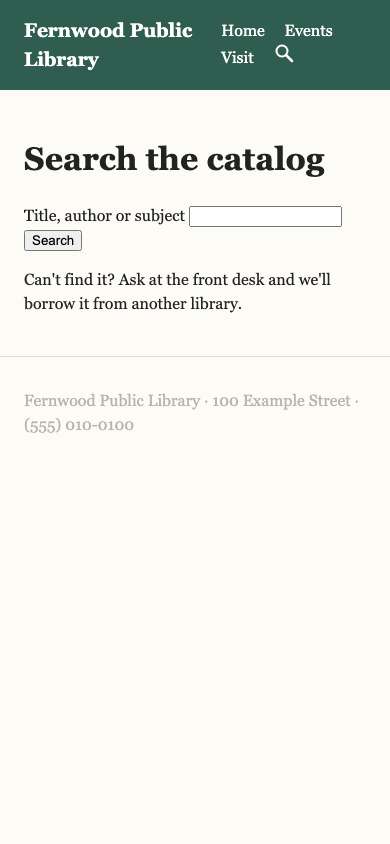 The page being checked shows here.
Found in this scan
- 1.1.1 Non-text contentImages have no text description5 elements on 4 pages · Rule check
- 1.4.3 Contrast (minimum)Text is too faint against its background6 elements on 4 pages · Rule check
- 2.4.4 and 4.1.2Links have no name4 links on 4 pages · Rule check
- 4.1.2 Name, role, valueIcon buttons don't say what they doon 3 pages · AI review
- 3.3.2 Labels or instructionsForm fields don't say what to enter or in what formaton 1 page · AI review
- 1.4.11 Non-text contrastIcons and controls disappear in Windows contrast themeson 3 pages · Interaction test
No problems found by these checks.
The verdict
72Grade C
Accessibility Denied
- 68 rule checks: axe-core’s rules on every page, desktop and phone.
- 40 interaction tests: we press keys, hover, zoom and play media, the way people use a site.
- AI review: judges what rules can’t, like whether alt text describes the image.
How to fix them
Low contrast text
Found on 83.9% of home pages. Light gray text on white, or white text on a pale photo, is hard to read for people with low vision, older readers and anyone in bright sunlight. Fix: body text needs a contrast ratio of at least 4.5 to 1 with its background, and large text at least 3 to 1. Darken the text or the background until it does.
Images without a text alternative
Found on 53.1% of home pages. A screen reader announces the image as nothing, or reads out its file name. Fix: give every image that carries meaning an alt text that says what it shows or does. Give decorative images an empty alt so screen readers skip them.
Form fields without a label
Found on 51% of home pages. A search box or sign-up field with no label is announced as “edit text”, and nobody knows what to type. Fix: give every field a visible label tied to it in the code. Placeholder text alone is not a label.
Empty links
Found on 46.3% of home pages. An icon-only link, such as a social media logo, is announced as “link” with no destination. Fix: give the link text, or give the icon a text alternative that names where the link goes.
Empty buttons
Found on 30.6% of home pages. A menu, search or close button drawn as an icon has no name, so a screen reader says only “button”. Fix: give every button a name, as visible text or as an accessible label.
Missing page language
Found on 13.5% of home pages. Without it, a screen reader guesses the language, and a wrong guess reads English with the wrong voice and pronunciation. Fix: set the language on the page, such as lang="en" on the html element.
Find yours
Granted checks for all six on every page, along with the rest of the 55 WCAG 2.2 A and AA criteria, at desktop and phone width. In a paid scan’s report, each problem comes with screenshots of where it is on the page and the points fixing it adds to the score. See a sample report, read what WCAG 2.2 Level AA means, or check your homepage free.
Source: The WebAIM Million, 2026 report, home pages tested in February 2026.
Pricing
Check your homepage free, then pay by the page for the rest of your site. Never more than the pages we check.
-
Homepage check
FreeNo card
- Your homepage, desktop and phone
- The core checks: 68 rule checks and 26 interaction tests
- Up to 10 PDFs linked from your homepage
- Counts your site’s pages and shows your price for the rest of it
- No email: it starts at once
-
Full-site scan
From $2525-page minimum · up to 3,500 pages
- $1 a page for the first 25 pages
- 30¢ a page up to 500 pages
- 10¢ a page after that, up to 3,500 pages
- PDFs and other documents we check are free
- AI review, PDF, ACR, fix plan and 3 rescans within 30 days
- Bigger than this? Email hello@grnted.co.
- Your card is held for the price shown, then charged only for the pages checked
- 3 free rescans within 30 days
- A report missing pages? Write within 14 days for a rescan or a refund
- Monitoring is optional. Turn it on from your report and it’s free until 30 days after your scan
Add monthly monitoring from your report: 20% of your scan price a month (at least $19), or 10 months a year. How pricing works How monitoring works
Public agencies scan free
Schools, cities, counties and special districts get a free scan of up to 250 pages. Agencies get one license for scans and monitoring of every client site.
Start with
your homepage
Free. No email, no card. The check starts at once.